Tired of a single cramped window?
Your projects deserve more than one pane
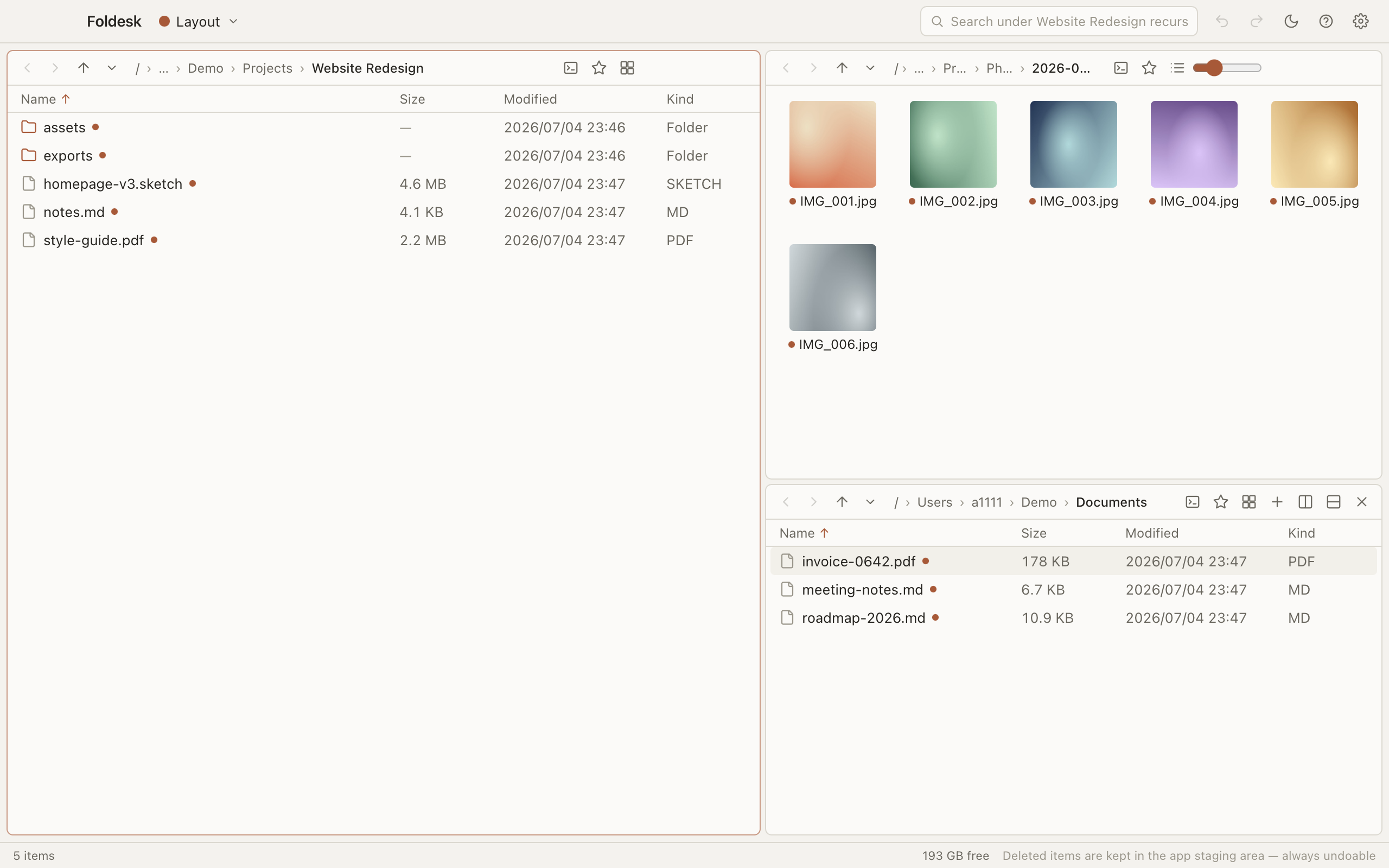
Foldesk is a workspace-based file manager for Mac and Windows. Tile folders side by side, move files with confidence, and undo anything — your whole layout is saved and restored between sessions.
For macOS · Windows coming soon · Full-featured 30-day free trial
One window. Every project.
Stop shuffling overlapping windows to move a file. Foldesk tiles your folders in a single window, remembers the arrangement per project, and brings it all back the moment you launch.
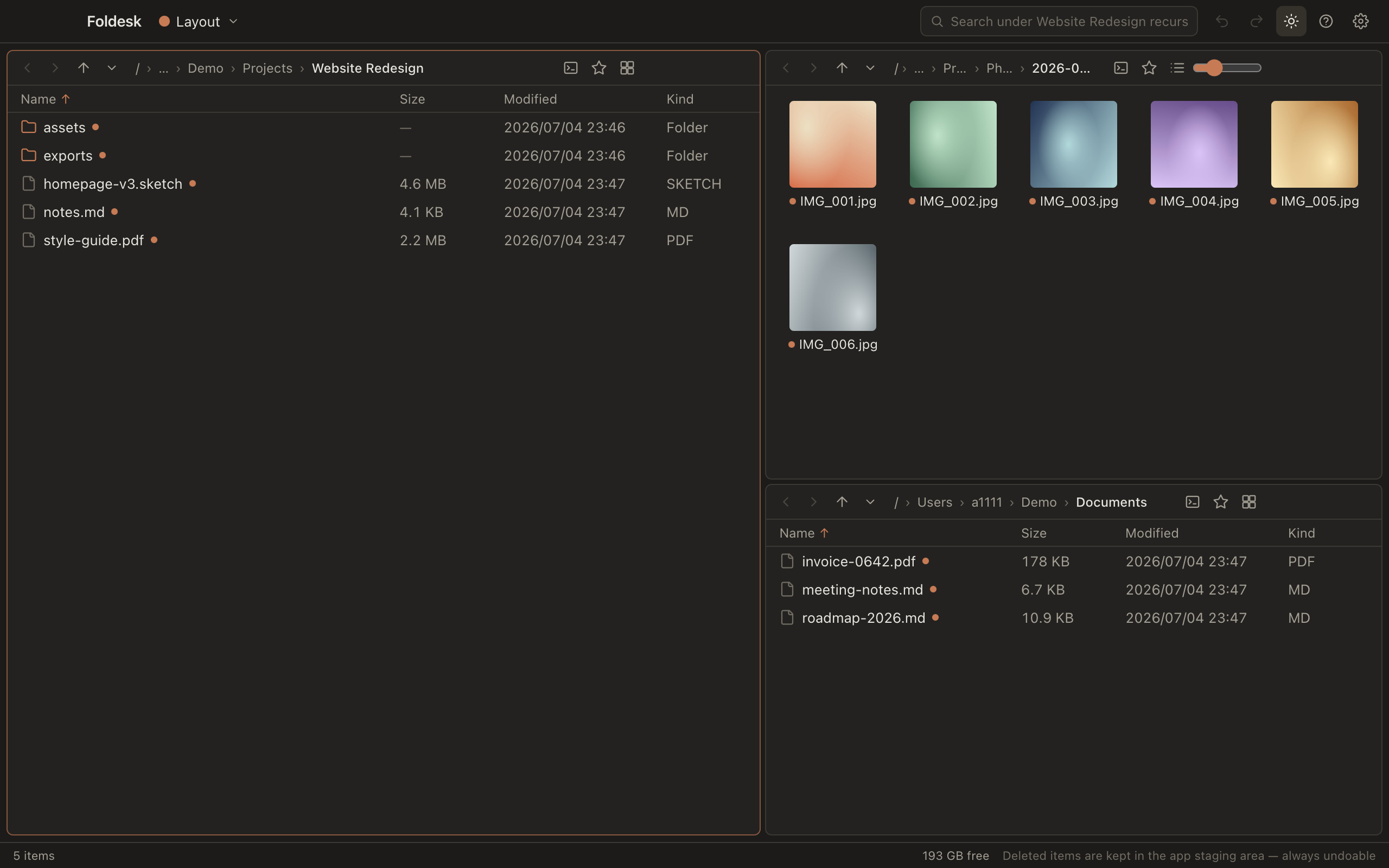
A file manager should be the calmest tool you own: every action reversible, every pane exactly where you left it.
Design principle no. 1
Features
Everything you need to work with files all day, and nothing that gets in the way.
Tiled panes
Split the window into as many panes as the job needs and browse source and destination side by side — no more juggling windows.
Saved layouts
Set up panes for a project once and save it as a layout. Your session is also restored automatically on every launch.
Undo for everything
Moves, renames, copies, even folder merges — every operation is undoable, the way Cmd+Z works in your editor.
Delete without fear
Deleted and overwritten files land in Foldesk's staging area first, so any operation can be rolled back. Nothing is silently destroyed.
Recursive search
Search every subfolder beneath your current location and jump straight to any match.
Quick jump palette
Hit Cmd+P, type a few path fragments, and land in any folder — a command palette for your disk.
Drag & drop that just works
Drag between panes or out to any other app. Hold Alt to flip between copy and move on the fly.
Built-in image conversion
Convert images to JPEG, PNG, WebP and more straight from the file manager — no round-trip through another app.
Keyboard-first
Every command has a shortcut and every shortcut is remappable. The full cheat sheet lives under Cmd+?.
We built Foldesk on one rule — you should never be afraid of your own files.
Design principle no. 2
Why Foldesk?
Local-first, always
Foldesk works directly on your real file system. No sync layer, no cloud drive, no account required — your files never leave your machine.
A safety net, not a warning dialog
Most tools protect you by nagging. Foldesk protects you by making every action reversible, so you can move fast without holding your breath.
Built for the desktop
A real desktop app for macOS and Windows, designed around a big screen, a keyboard, and serious file work — not a port of something else.
Your workspace, remembered
Panes, paths, sort orders and view modes are all part of your workspace. Quit, relaunch, and pick up exactly where you stopped.
English and 中文, built in
The whole app ships in English and Simplified Chinese. Switch languages in Settings and everything follows, including undo history labels.
Buy Foldesk
One payment, yours forever. Try everything free for 30 days first — then unlock permanent use with a redemption code.
Foldesk 1.x
Permanent use of every release through version 1.x.
- Redemption code delivered instantly
- All your personal Macs & PCs
- Every feature, nothing held back
- All 1.x updates included
Foldesk Lifetime
Permanent use of every version we ever ship — including 2.0 and beyond.
- Redemption code delivered instantly
- All your personal Macs & PCs
- Every feature, nothing held back
- All future versions, forever
- Early access to new features
Not sure yet? Download the app and use everything free for 30 days — no account needed.
Get Foldesk
Every download starts a full-featured 30-day free trial — no account needed. The app keeps itself up to date automatically.
Windows
Windows 10 or later
30-day free trial · no account required. Unlock permanent use anytime with a redemption code.
Frequently asked questions
Short answers to the things people ask most.